Authenticate calls between backend services with a dedicated Weldall identity.
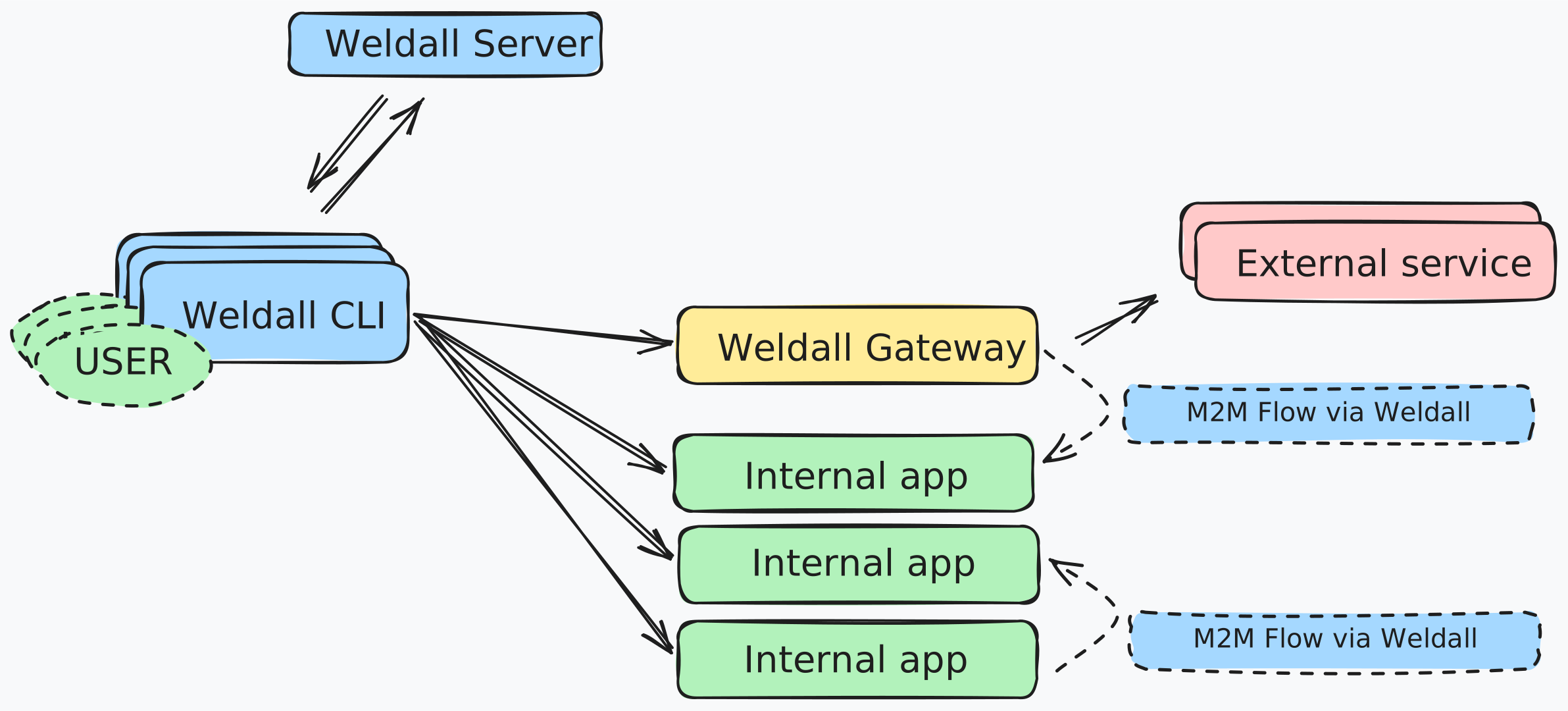
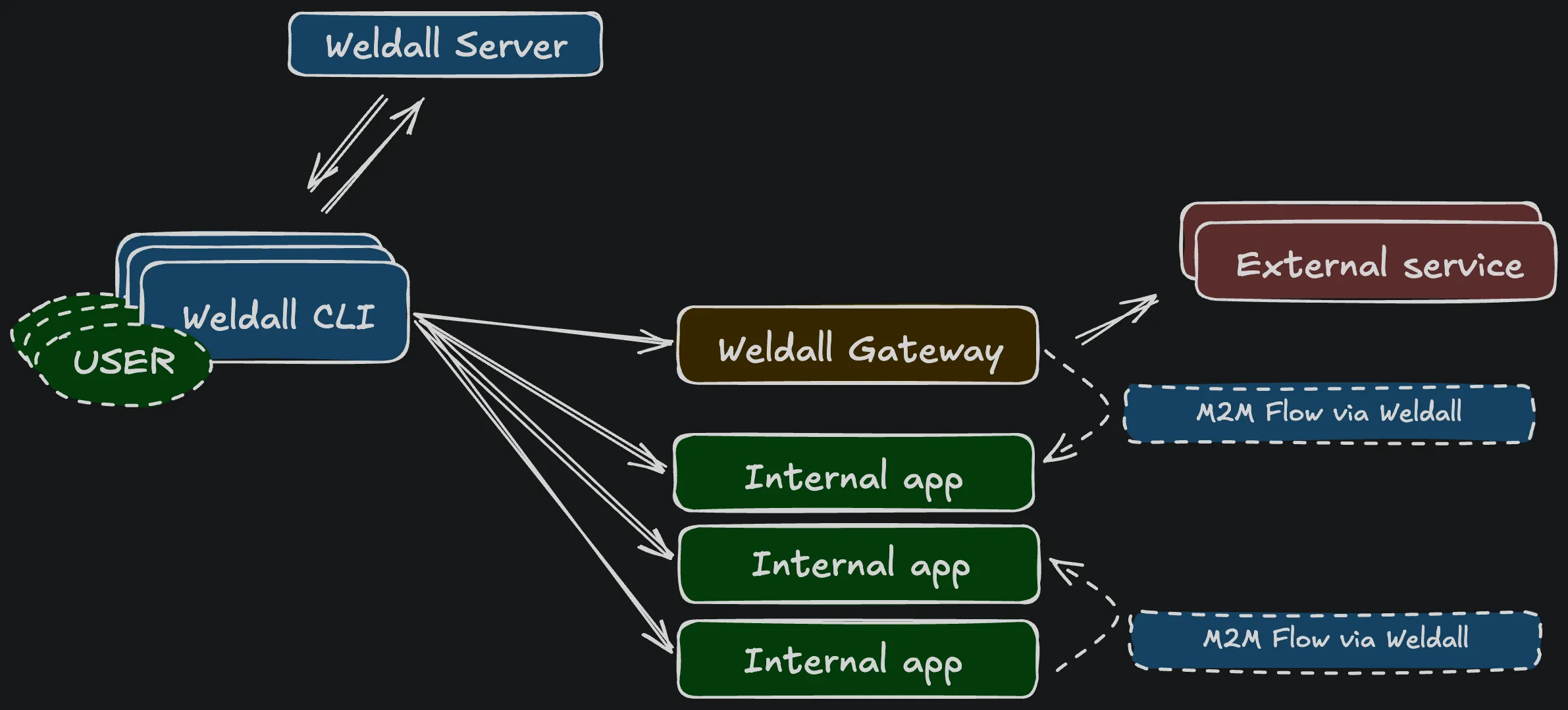
Use machine authentication when one backend needs to call another without a person signing in. Each machine has its own client ID and key pair. It authenticates with OAuth 2.0 client credentials and RFC 7523 private_key_jwt, and Weldall returns a five-minute token for one resource.
Register the calling service
Section titled “Register the calling service”The following example lets Expenses A read data from Expenses B:
- Create the required scopes and register Expenses B under Resources.
- Generate an ES256 P-256 key pair. Keep the private key with Expenses A.
- Open Machine clients, select Register machine, and enter
expenses-a, the public JWK, and a uniquekid. - Under Machine access, select Expenses B under Resources and the required entries under Scopes.
Machine access is mainly controlled by two allowlists: the resources a machine may call and the scopes it may request. A token request must match both lists, and the target resource must support every requested scope. Registering a machine or resource by itself does not grant access.
Request a token
Section titled “Request a token”The easiest setup is to provide the key pair through secret-backed environment variables. loadEs256KeyPairFromEnv validates them before the SDK creates the short-lived assertion and matching DPoP proof:
import { loadEs256KeyPairFromEnv, requestMachineToken } from "@weldall/sdk";
const key = await loadEs256KeyPairFromEnv({  privateName: "MACHINE_SIGNING_PRIVATE_JWK",  privateValue: process.env.MACHINE_SIGNING_PRIVATE_JWK!,  publicName: "MACHINE_SIGNING_PUBLIC_JWK",  publicValue: process.env.MACHINE_SIGNING_PUBLIC_JWK!,});
const token = await requestMachineToken({  issuer: "https://weldall.example.com",  clientId: "expenses-a",  resource: "https://expenses-b.example.com/api",  scopes: ["expenses-b:read"],  kid: process.env.MACHINE_SIGNING_KID!,  key,});
Configure these environment variables through your deployment platform’s secret management. A KMS, Vault, or another credential provider is a good fit when you already use one. Never put the private JWK in Weldall, application manifests, source control, or logs.
The response contains a DPoP-bound access token and no refresh token. Request a new token when the current one expires.
Check a user’s current scopes
Section titled “Check a user’s current scopes”A backend that must re-evaluate a persistent local credential can request the machine-only weldall:subject-scopes-check scope for the Weldall API. Assign that system scope and the backend’s own resource to its machine client. Weldall only permits checks for scopes supported by one of the machine’s allowed resources.
Use the opaque sub captured from a previously verified Weldall user token, never an email address:
import { createDpopProof, requestMachineToken } from "@weldall/sdk";
const issuer = "https://weldall.example.com";const token = await requestMachineToken({  issuer,  clientId: "randomapp",  resource: `${issuer}/api`,  scopes: ["weldall:subject-scopes-check"],  kid: process.env.MACHINE_SIGNING_KID!,  key,});const endpoint = `${issuer}/api/authorization/v1/check-scopes`;const proof = await createDpopProof({  ...key,  method: "POST",  url: endpoint,  accessToken: token.accessToken,});const response = await fetch(endpoint, {  method: "POST",  headers: {    authorization: `DPoP ${token.accessToken}`,    dpop: proof,    "content-type": "application/json",  },  body: JSON.stringify({ subject, scopes: ["randomapp:mint-key"] }),});
A successful response contains sorted granted and missing arrays plus evaluatedAt. Responses are marked no-store; a caller may apply its own short cache. Weldall returns 503 temporarily_unavailable rather than reporting an authoritative missing scope when a relevant group provider cannot be evaluated.
Protect the receiving service
Section titled “Protect the receiving service”Expenses B uses the same initWeldall setup as an API that serves employees:
import { inMemory } from "@weldall/sdk";import { initWeldall, type WeldallVariables } from "@weldall/sdk/hono";import { Hono } from "hono";
const weldall = initWeldall("https://weldall.example.com", {  resource: "https://expenses-b.example.com/api",  publicOrigin: "https://expenses-b.example.com",  clientId: "expenses-b",  supportedScopes: ["expenses-b:read"],  signingKey: loadExpensesBSigningKey(),  replayStore: inMemory(),});
const app = new Hono<{ Variables: WeldallVariables }>();app.get("/api/expenses", weldall.protect({ scopes: ["expenses-b:read"] }), (context) => {  const auth = weldall.getAuth(context);  return context.json({    subject: auth.subject,    requestedBy: auth.identity.type === "machine" ? auth.identity.clientId : auth.identity.email,    identityType: auth.identityType,    ...(auth.identityType === "user" ? { email: auth.email } : {}),    expenses: [],  });});
protect checks the token and required scopes before the handler runs. getAuth tells the handler whether the caller is a user or a machine. Most routes only need their scope policy; check auth.identity.type when the response or business logic needs caller details such as an email address or machine client ID.
Machine tokens never contain a user’s email address and cannot impersonate a user.
Rotate or revoke a key
Section titled “Rotate or revoke a key”Register the new public key before deploying its private counterpart. Keep both keys active during the rollout, switch the machine to the new kid, and then revoke the old key.
You can also deactivate the machine client or remove entries from either access allowlist. These changes stop new token issuance immediately. Tokens already issued expire within five minutes.
Machine registration, token issuance, and rejected requests appear under Audit logs. Assertions, tokens, proofs, and key material are not written to the audit log.
Security flow
Section titled “Security flow”The complete request flow has two verification points: Weldall checks the machine, its key, and its access policy before issuing a short-lived token; the receiving API then verifies that token and the fresh DPoP proof attached to the request.